

Atlanta Home Network & Ethernet Installation
Wired Wi-Fi access points on every floor, Cat6/Cat6A Ethernet where it counts and a tidy rack, so coverage is strong in the rooms you use.
Cameras, smart switches, TVs and work laptops all lean on the Wi-Fi, and one router in a corner cannot reach every room. We design WiFi and Ethernet systems that prioritize coverage, throughput, and reliability based on your home layout, wall materials, and device density rather than relying on generic retail hardware placement.
What it costs
From $1,500starting price
Each hardwired Ethernet drop is about $450, depending on the house. Your exact, itemized price comes after a quick look at your space, with no surprises.
Why homeowners choose it
Reliable whole-home coverage
Engineered access-point placement improves signal consistency across floors, corners, and outdoor transition areas.
Improved performance under load
Structured network design supports simultaneous streaming, conferencing, gaming, and automation traffic without constant drops.
Ethernet where it matters
Hardwired links are deployed for devices that benefit most from low latency and high reliability.
Cleaner infrastructure
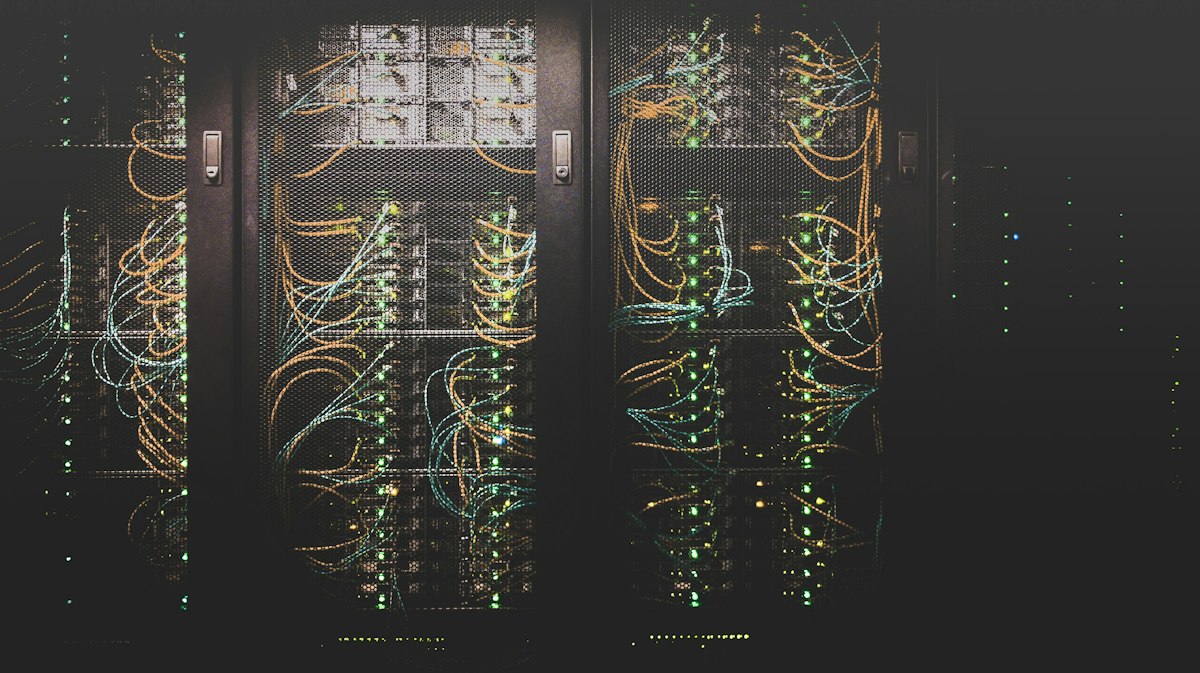
Rack organization, labeling, and cable management simplify troubleshooting and future upgrades.
Security-minded architecture
Segmentation and managed controls can reduce risk while preserving convenience for family devices and guests.
Future-ready expansion
Design choices account for additional devices and systems so growth does not require a full reset later.
Sound familiar?
“The Wi-Fi is great in the living room and unusable in the upstairs bedroom, and your provider keeps saying everything looks fine.”
What’s actually happening
One router can't push through three walls and a floor. It is physics, not your plan. Coverage comes from access points where you live, wired back to the core.
How we fix it
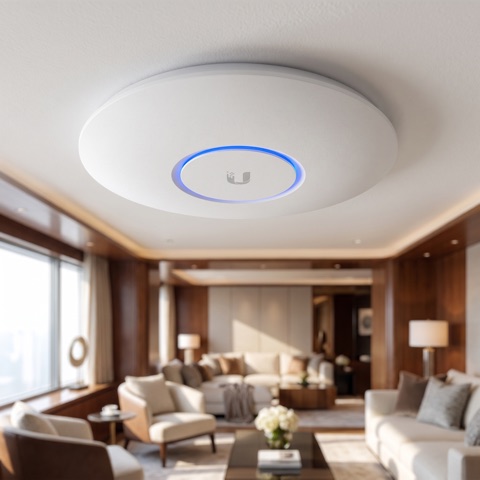
We run real Ethernet to ceiling-mounted access points on each level, for the same signal strength in every room, on one network name.
“Video calls stutter at the worst moments even though you pay for gig internet.”
What’s actually happening
Speed isn't the issue, stability is. Mesh repeaters and Wi-Fi backhauls halve their bandwidth with every hop.
How we fix it
Wired backhaul never hops. Every access point gets its own dedicated line to the rack, so a call upstairs doesn't fight the TV downstairs.
“You bought the best router money can buy and the pool area still has no signal.”
What’s actually happening
Routers radiate from one point. Outdoor coverage needs an outdoor radio, not more indoor power.
How we fix it
A weather-rated access point on the patio wall, wired like everything else, for full bars to the pool without blasting your neighbors.
Why one router can’t cover a whole house
Wi-Fi weakens through every wall and floor. The fix isn’t a stronger router. It’s wired access points where you actually live.
One router in the corner
Wired access points: our build
| Standard | Bands | Real-world feel | What we install |
|---|---|---|---|
| Wi-Fi 5 | 5 GHz | What most homes still run, fine until the house fills with devices | — |
| Wi-Fi 6 | 2.4 + 5 GHz | Handles the crowded smart home, dozens of devices without choking | Cameras & hubs |
| Wi-Fi 7 | 2.4 + 5 + 6 GHz | The clean 6 GHz band + multi-link, the last upgrade for years | UniFi U7 series |
How we measure “the Wi-Fi is bad in here”
We walk the house with a meter and design coverage so every room you use sits above the −67 dBm line. That’s the whole science of “full bars everywhere.”
1, 2.5, 5 or 10 Gig?
Start with the internet service you get. What you actually measure depends on the gateway, the switch, the access points and the cable between them, and on the device in your hand. Here is what each tier really delivers, the UniFi build behind it, and what it costs installed.
The sweet spot for most homes
1 Gig network
Gigabit fiber or cable (AT&T Fiber 1000, Xfinity Gigabit, Google Fiber 1 Gig), or anything slower
Estimated, installed
$4,900–$7,100 installed
2 access points · 6 Ethernet drops · about 3,000 sq ft on 2 floors
Streaming in every room, two people working from home, cameras and a smart home, all at once.
What you’ll really see
- Wired
- 900–940 Mbps on any wired computer, TV or console (gigabit Ethernet with normal overhead)
- Wi-Fi, next to an access point
- 700–940 Mbps on a Wi-Fi 6/7 phone or laptop in the same room as an access point
- Wi-Fi, around the house
- 300–700 Mbps elsewhere in the house, with a strong signal in the rooms the survey covers
The build that gets you there
- UniFi Cloud Gateway Ultra, rated 1 Gbps with threat protection on
- USW Lite 8 PoE switch on one of the gateway’s gigabit ports, powering the access points over their own cables
- 2 U7 Pro access points (2.5G uplink), ceiling-mounted and wired back to the switch
- 3 wired jacks on the gateway’s spare gigabit ports, every other jack and access point on its own switch port; gigabit carries a 1 Gig plan in full. 4 free switch ports for later.
- Cat6 Ethernet drops: one per access point and one per wired jack
A "gig" plan never tests at 1,000: ~940 Mbps wired is the real ceiling, and that is a perfect result.
How many access points does your home need?
Ubiquiti rates a U7 Lite for about 1,250 sq ft, a U7 Pro for 1,500 and a U7 Pro Max for 1,750. We plan one per that much of each floor, with the model that covers your home in the fewest access points, then the least expensive. Pick your size and floors for a planning number; the site survey sets the final count.
2 access points
1 per floor (U7 Pro) · 1 Gig: $4,978–$7,078 installed
The estimate includes 4 wired jacks, one Ethernet drop per access point (about $450 each, depending on the house) and rack and wire organization ($500–$1,500). A patio or pool adds a weather-rated access point; the Project Studio adds those for you.
Estimates include equipment and labor; brick, finished basements and attic access move the drop prices. Speeds are typical speed-test results, not guarantees. Your devices set the ceiling as much as the plan does. UniFi gear at Ubiquiti’s store prices with its current surcharge included; the final quote uses the price on the day we order.
The basics, translated
Plain-English meanings for the terms you’ll see in a proposal.
How it works
Consultation
We walk your space or hop on a call to understand the look and how you live.
Design & quote
A clear, itemized proposal: scope, equipment, and honest pricing, no surprises.
Install & calibrate
We install it, test everything and set it up the way you’ll use it.
Walkthrough & support
We show you everything, then stay on call, with no disappearing after payday.
Recent work
5 project photos · tap to swap
We provide structured networking and Ethernet installation across Metro Atlanta, including Suwanee, Johns Creek, Alpharetta, Duluth, Lawrenceville, and nearby areas. Service includes retrofit optimization, new-construction planning, and network-ready low-voltage coordination.
Share your connectivity pain points and device goals, and we will recommend a network plan that supports both current demand and future expansion.
Not ready yet? See more of our work or see financing options.